MicoAir MTF-01 Optical Flow & LIDAR for Ardupilot/PX4/INAV

| No Review
₹2999
Description MTF-01 is an optical flow ranging integrated sensor developed by MicoAir Technology. It uses uart to output data and is compatible with mainstream open source flight controllers such as Ardupilot, PX4 and INAV. It can be used directly after simple configuration without complicated development process. MTF-01 features an integrated PMW3901 optical flow sensor and a high-performance TOF sensor, which can be used normally in outdoor sunlight environments. Specifications Output…
Categories: Electronics / Electronic Accessories & Parts Brand: MicoAir SKU: MICO-2192
Share :

Description

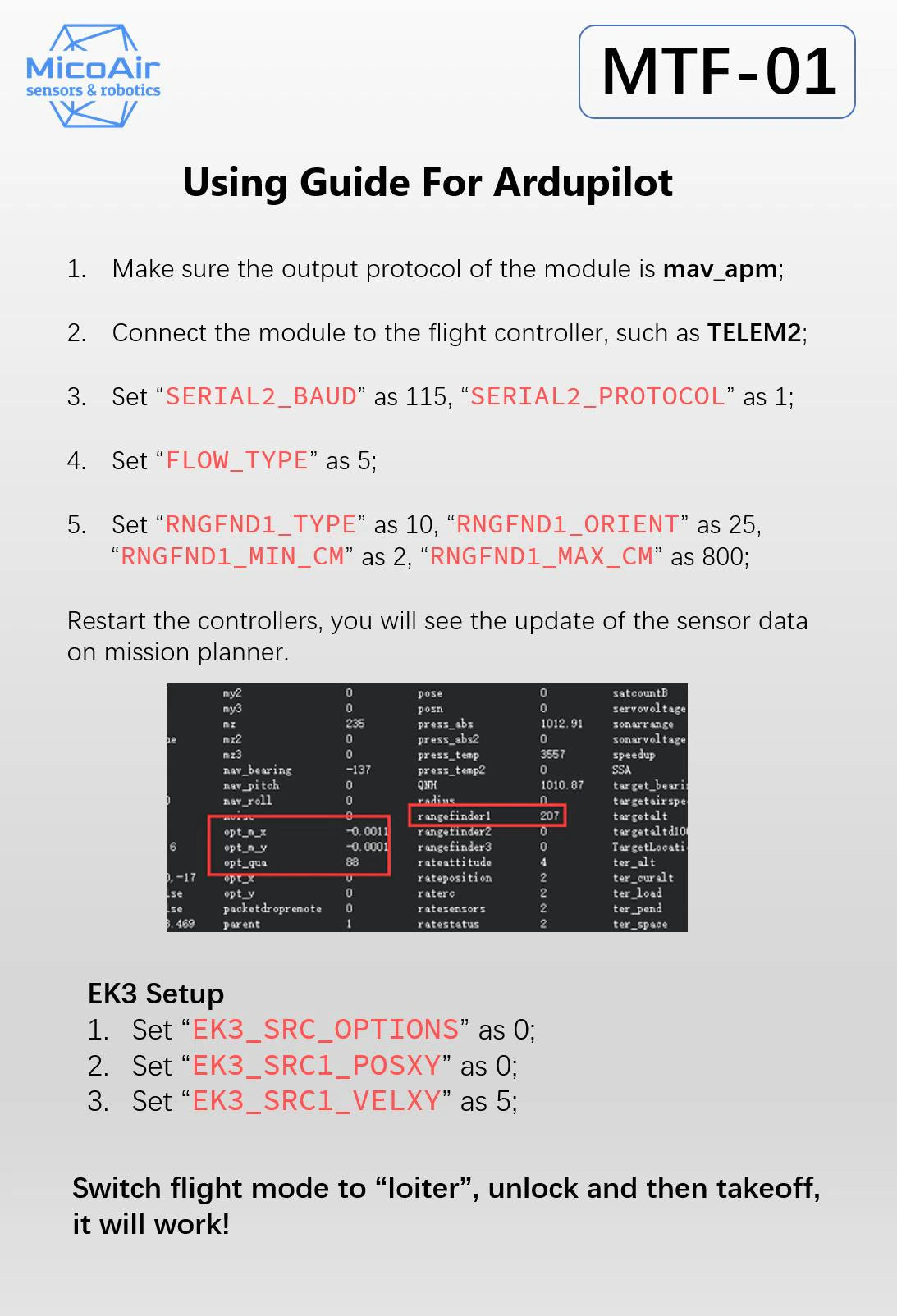
MTF-01 is an optical flow ranging integrated sensor developed by MicoAir Technology. It uses uart to output data and is compatible with mainstream open source flight controllers such as Ardupilot, PX4 and INAV. It can be used directly after simple configuration without complicated development process.

MTF-01 features an integrated PMW3901 optical flow sensor and a high-performance TOF sensor, which can be used normally in outdoor sunlight environments.

Specifications

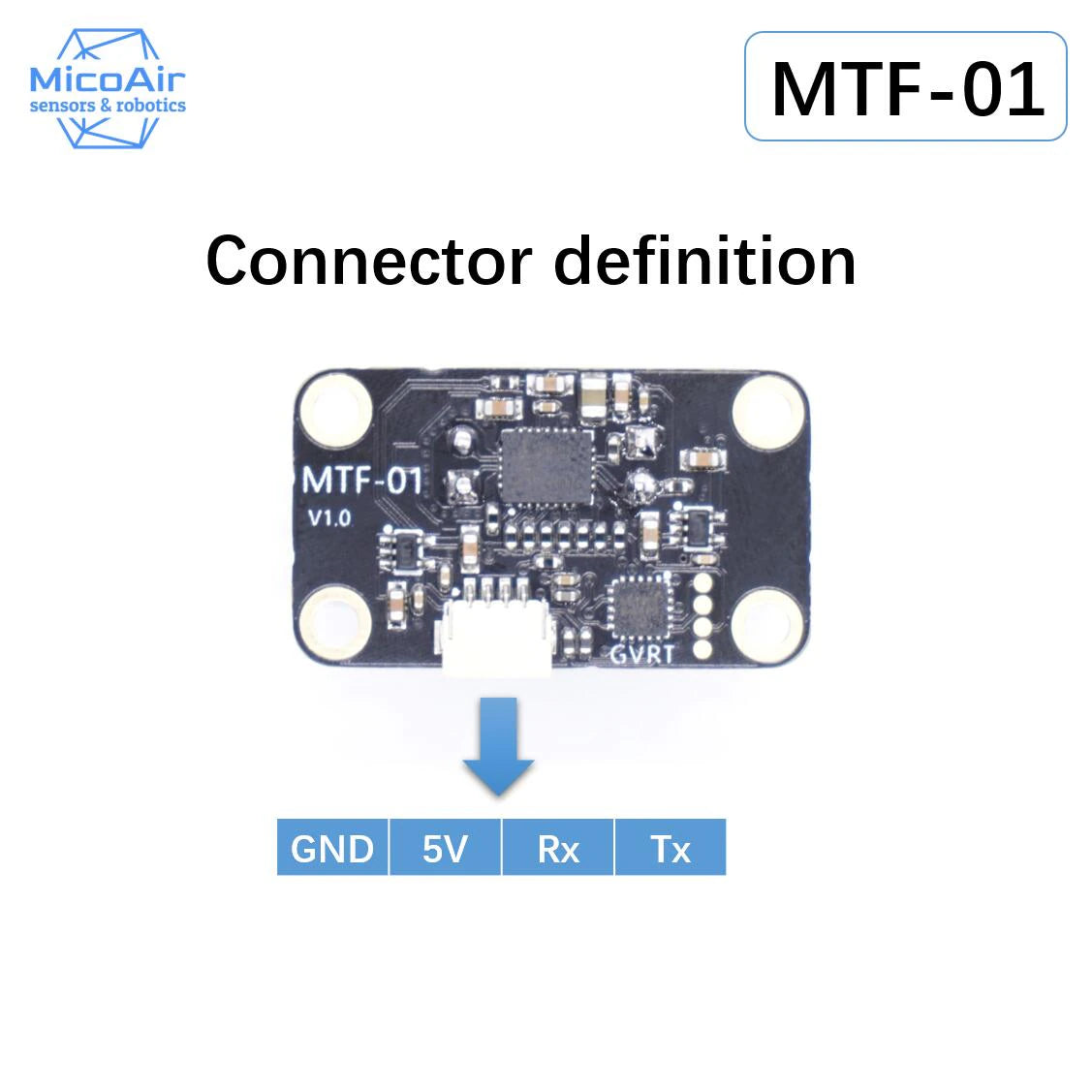
  • Output Mode: UART 115200
  • Output Interface: LVTTL (3.3V)
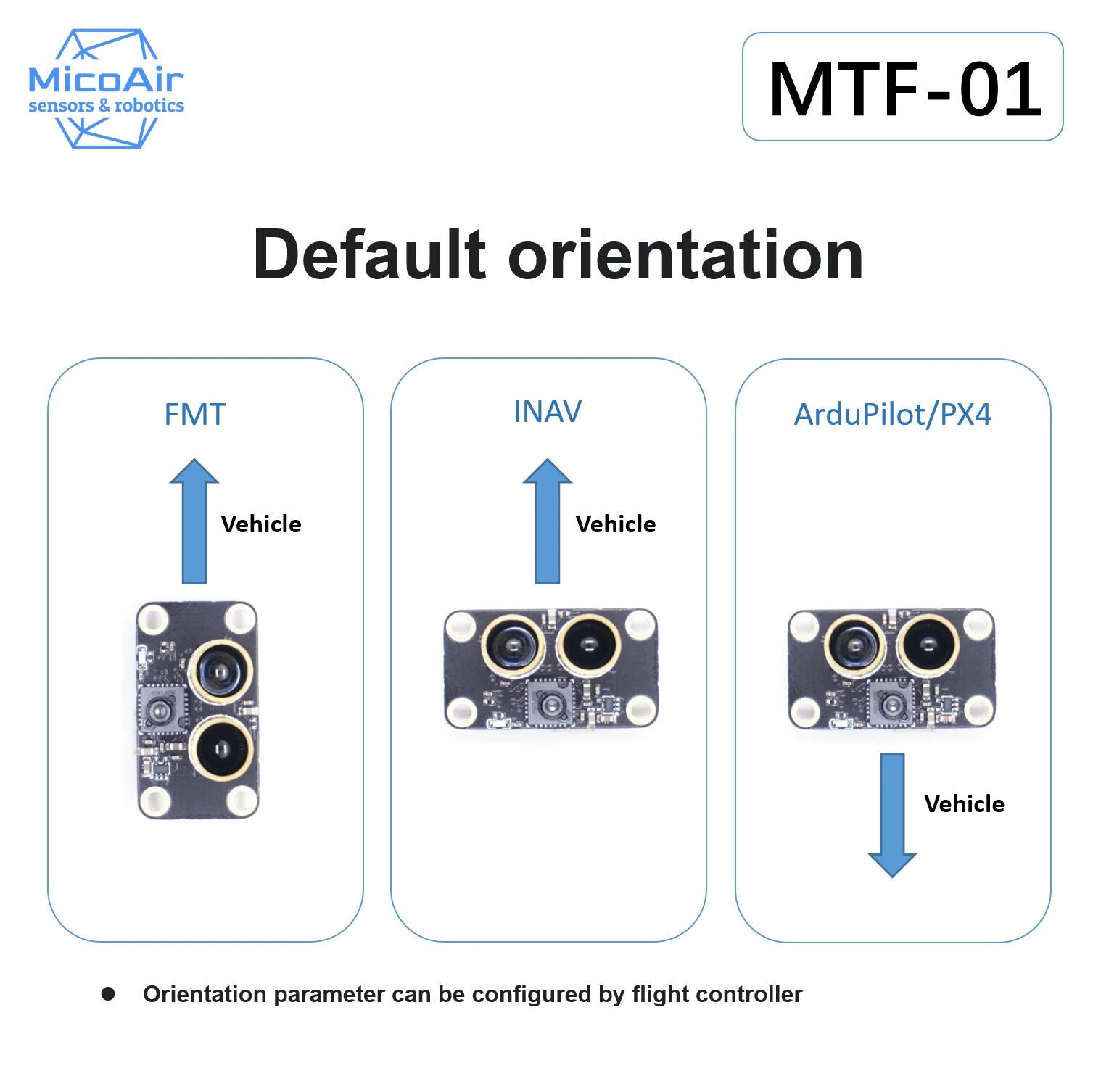
  • Protocol: Micolink/Mavlink/MSP
  • Output Rate: 100Hz
  • Firmware Supported: Ardupilot/PX4/INAV/FMT
  • TOF Range: 8m@90% reflectance/600Lux; 5m@90% reflectance/60KLux;
  • Center Wavelength: 850nm
  • Emitting Half Angle: 3 °
  • Dead Zone: 2cm
  • Ranging Accuracy: 4cm(<2m@90% reflectance);2%(>2m@90% reflectance)
  • Optical Flow FOV: 42 °
  • Max Speed Measurement: 7m/s@1m height
  • Ambient Light Demand of Optical Flow: >60Lux
  • Optical Flow Working Distance: >8cm
  • Light source: LED
  • Power Consumption: 500mW
  • Supply voltage: 5V

Physical


Manual: 

MicoAssitant software can used for configure protocol or other parameter of MTF-01.

Download it from here.

Or here.

When you don’t have a USB-TTL module, you may refer to this tutorial:

Configure MTF-01 Sensor By Using Ardupilot’s Serial Passthrough Function


Protocols

MTF-01 module integrated with multiple protocols,include:
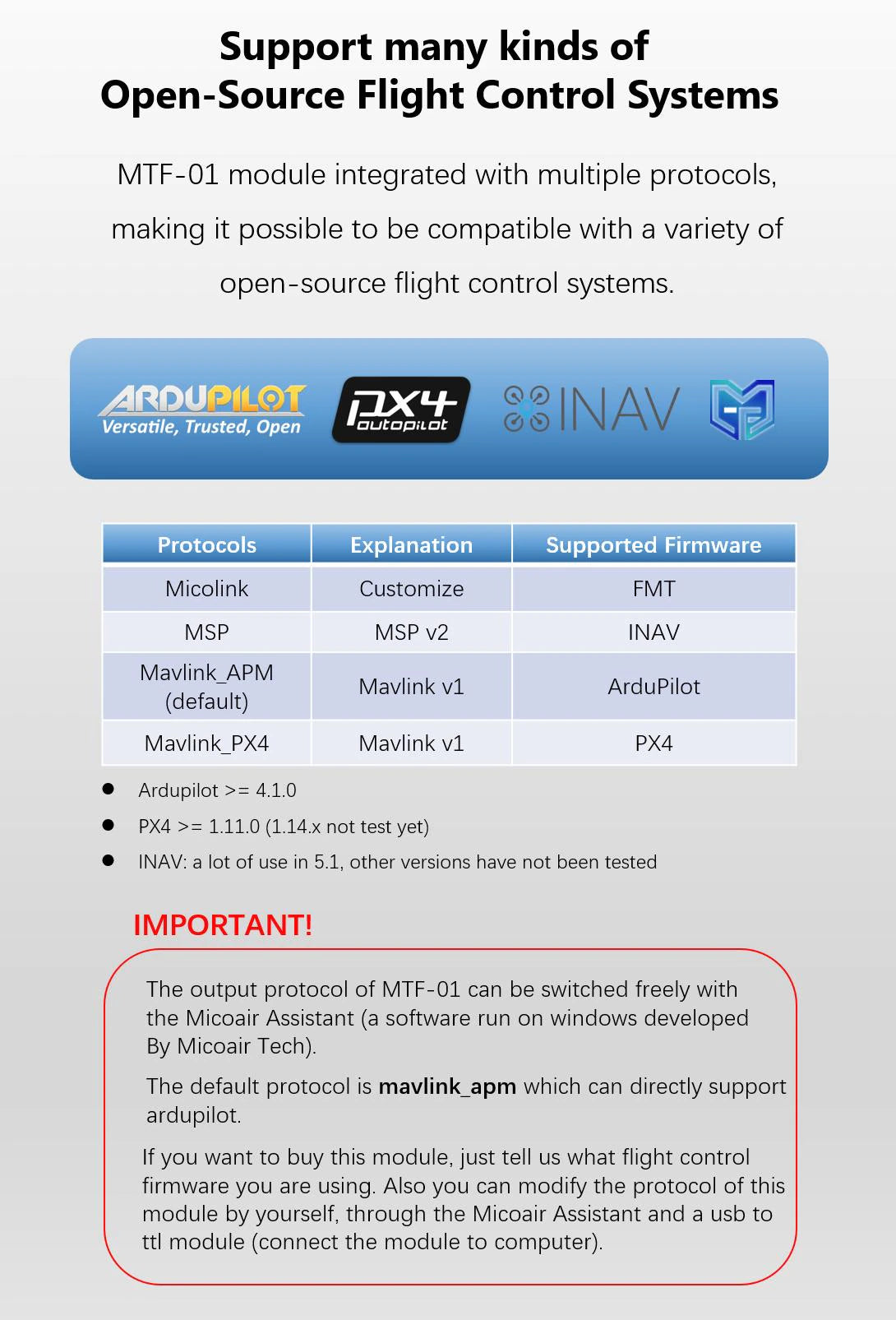
  • Micolink  a custom protocol, can support FMT
  • MSP  support INAV
  • Mavlink_APM  the mavlink protocol that can support Ardupilot
  • Mavlink_PX4  the mavlink protocol that can support PX4

Set up protocol by using MicoAssistant

  • Step1 : Connect the MTF-01 to PC by using the USB to TTL module.
  • Step2: Open the windwos device manager and check if the USB module has been recognized.
  • Step3: Open the MicoAssistant software, select the correct COM in the upper right corner, baudrate should be 115200, and then the connection icon.
  • Step4: If the MTF-01 has been successfully connected, the software will recognize it, and will output some messages and display the firmware version in the lower right corner. Then you can click the “SETUP”(gear) icons to open the setup page, it will happens nothing if there is any wrong with the connection, and you should check the previous
  • Steps5: Select the protocol you want to use in the setup page, and then click the write button, the output protocol of the module will be successfully modified, and the software message box should display a message that the setting is successful.

    Attention

    The MicoAssistant software may crash in some language versions of Windows systems. You can try using the “no_chart” version.

For more information, please refer to the manufacturer website here

My Cart
Cart Page
My Wishlist
Wishlist Page

We may use cookies or any other tracking technologies when you visit our website, including any other media form, mobile website, or mobile application related or connected to help customize the Site and improve your experience. Read our cookie policy